
Our users reported over 96% customer satisfaction for the last 10 years. Schedule a personal tour of our software to see how we can improve your business’s productivity.
Table of Contents
Share Article
Geofencing is a GPS-based tool built to answer one of the most persistent questions in construction: are the hours coming in from the field actually accurate?
You’ve got crews across multiple sites, a foreman juggling a dozen things at once and timesheets that may or may not reflect what really happened that day.
Geofencing draws a GPS-based virtual boundary around your jobsite. When a worker’s phone enters that zone, the app logs the clock-in automatically. When they leave, it logs the clock-out. No manual entry, no paper timesheets, no guessing. The result is verified time data tied to a specific location — so the hours flowing into your payroll and job cost reports reflect what actually happened in the field.
It’s not a matter of distrust — it’s just the reality of managing dispersed field teams. Paper logs get lost. People forget to clock in. Hours get estimated instead of recorded. It also leaves the door open for time theft and buddy punching — problems that are hard to catch and easy to ignore until they show up in your labor costs.
By the time it all lands on someone’s desk, the numbers are already off.
Key Takeaways:
- Geofencing draws a GPS-defined virtual boundary around each jobsite
- GPS geofencing restricts clock-ins and clock-outs to verified jobsite locations
- Mobile time tracking software logs hours automatically when workers enter or leave the geofenced zone
- GPS-verified labor hours flow directly into payroll processing and job cost reports
- Workforce management software gives the office real-time visibility into field crew location and hours
What Is Geofencing?
Geofencing creates a GPS-defined boundary around your jobsite that controls when and where workers can clock in.
You set up that boundary once inside your time tracking app. From then on, the system knows when someone’s device enters or leaves the zone.
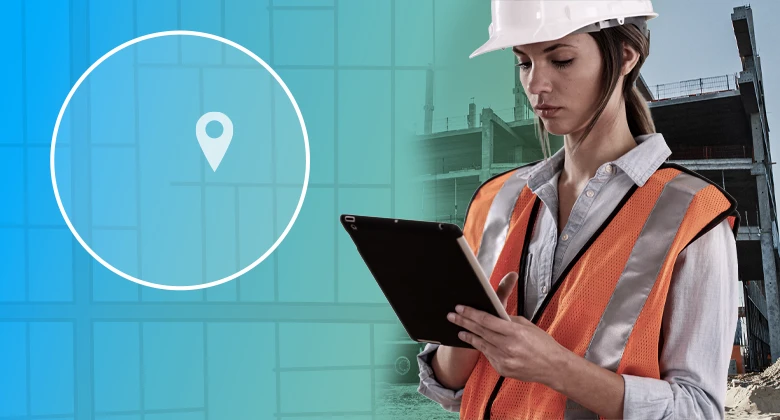
Think of it like drawing a circle on a map around your project.
When a worker walks on-site with their phone, the app sees they’ve entered the geofenced area and triggers a clock in. Same idea on the way out.
It works through the GPS already built into any smartphone — no extra hardware, no special equipment.

How It Works on a Jobsite
The setup is simple, and once it’s running, the day-to-day is mostly hands-off.
Here’s what the process actually looks like from start to finish.
Setting Up the Boundary
You open the app, pull up a map and draw a perimeter around your project location. You control the size — a tighter radius for a downtown build, a wider one for a sprawling site.
If you’re running multiple projects at once, you can set up separate geofences for each. Once it’s saved, it’s running.
What Happens When Your Crew Arrives
When a worker steps into the zone, the app recognizes their location and prompts them to clock in. It could also log the time automatically, depending on how you have it configured.
No reminders, no manual entry.
When they leave the site, the clock out gets recorded the same way.
If someone tries to log hours from outside the boundary — say, from the truck down the road — the app flags it or blocks it outright.
The location data is tied to the time entry, so the record reflects where the work actually happened.
Why Accurate Location Data Changes Everything
GPS-verified time data eliminates the gap between hours worked in the field and hours recorded in your payroll system.
Every hour that gets logged in the field eventually shows up in your payroll, your job costs and your project reports.
When that data is tied to a verified location, the numbers you’re working with are ones you can actually rely on.
Payroll Stops Being a Guessing Game

Location-verified clock-ins send clean time data directly to your payroll system without manual re-entry.
When every punch is tied to a verified location, there’s nothing to reconcile before you run payroll.
No chasing down missing punches. No correcting timesheets before processing. For contractors on public projects, that same verified location data supports certified payroll reporting and prevailing wage compliance.
The information is already there. And as an added benefit, many contractors report cutting payroll processing time significantly once location-based time tracking is in place.
Job Cost Reports Reflect Reality
Labor is one of the highest costs on any project. When hours are off, job costs are off — and that affects everything from progress tracking to what you bid on the next job.
GPS-verified time data ties labor hours directly to specific cost codes and project phases, so your reports show what’s actually happening in the field, not an estimate of it.
Overtime and labor burden get captured the same way — tied to the location where the work actually happened, not estimated after the fact.
What to Look for in a Time Tracking Tool With Geofencing
The right workforce management software connects GPS clock-in data to your payroll and accounting systems without adding manual steps.
If you’re evaluating options, a few things are worth paying close attention to:
- Offline capability: Cell signal on jobsites can be unreliable. The app should capture hours locally and sync once a connection is restored.
- Ease of use: Simple clock-in options — like a PIN, facial recognition or a single tap — reduce friction for workers and improve adoption.
- Integration with your accounting or payroll system: Hours should move directly into your back office without anyone re-entering them by hand.
The right tool removes steps from your day; it doesn’t add them.
Know Where Your Crew Is, Every Time
GPS-based virtual jobsite boundaries turn a daily guessing game into reliable, verifiable data. Hours get logged where the work happens, payroll runs cleaner and your job costs reflect the field instead of a rough estimate of it.
For contractors managing crews across multiple locations, geofencing is one of the most straightforward upgrades you can make to how your operation runs.
WorkMax® is mobile app built to connect your field to your office without adding complexity. Geofencing comes standard alongside GPS-powered clock-ins, patented facial recognition, offline access and integrations with 100+ payroll and accounting systems.
Want to see it in action? Talk to an expert and book a demo.