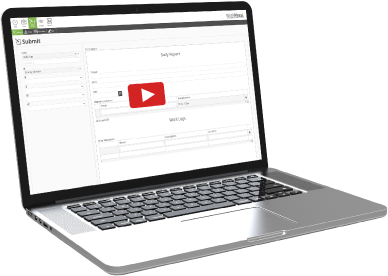
Track Every Hour for Each Project
Currency Coin Icon
Reduce
Labor Costs
Alternating Arrows Icon
Connect
Field and Office
White Board With List Icon
Maintain
Compliance
Clock Icon

Track and Manage Your Labor Force

See your jobsite in real-time. No more missing timecards or guesswork

  • Live jobsite updates keep your office in sync with the field
  • Every break, lunch and clock in is documented for compliance and disputes
  • Minute-by-minute tracking cuts labor expenses significantly

GPS & Geofencing

This is field data at its most up to date. Never question your timecards again.

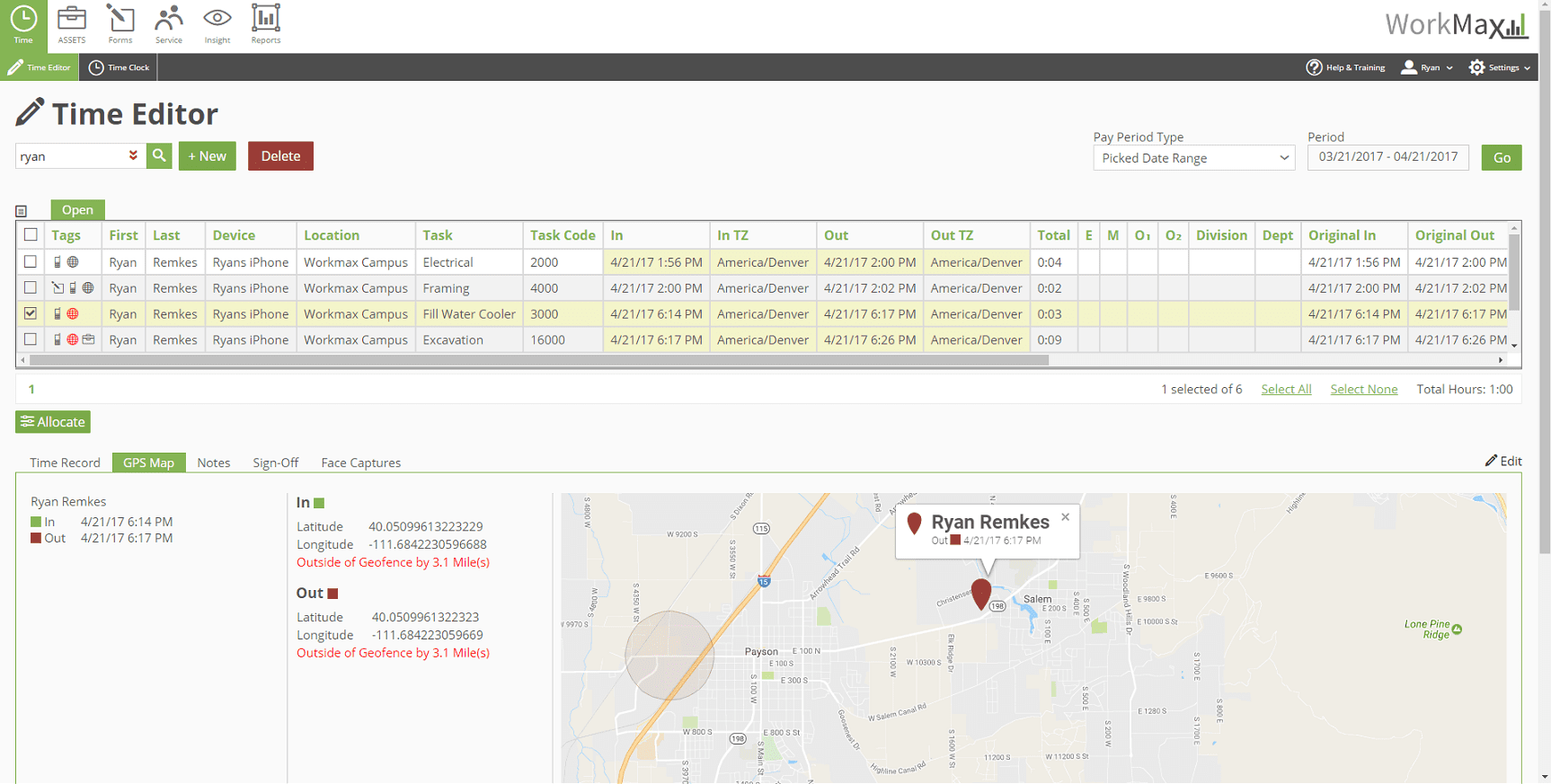
  • Geofencing helps prevent time theft with invalid clock ins outside your jobsite
  • GPS verification proves who clocked in and out to eliminate discrepancies
  • Mobile alerts lets supervisors know who is working where and what tasks they’re performing
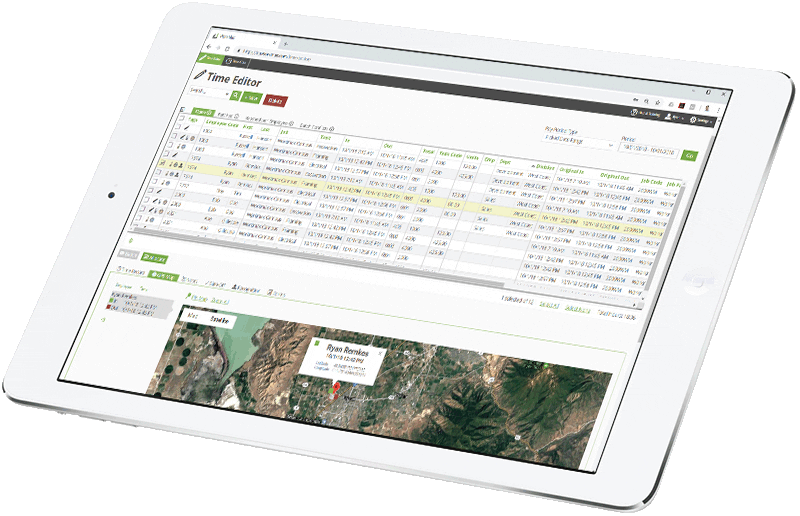
ipad Time Editor

Facial Recognition & Photo ID

Implement our patented facial recognition to eliminate buddy punching.

  • Verify every employee as they clock in, change tasks and clock out
  • Identify workers even when offline, maintaining accuracy wherever the team is
  • Instant flagging alerts you to discrepancies before time theft costs you money

Custom Workflow

WorkMax adapts to your how your company operates, not the other way around.

  • Flex fields let you customize every aspect of the system to match your exact preferences
  • Build a setup that mirrors your existing processes so your data reflects your jobsites
  • English and Spanish language options ensure seamless communication across your diverse workforce
WM GPS RYAN OUTSIDE GEO FENCE

Mobile Signatures

Capture virtual signatures at the end of each work day to prevent disputes.

  • Digitalize signatures to keep data transparent
  • Store data in a secure, central control center for quick access to all information
  • Smart permissions ensure each employee sees only what they need

Seamless Accounting & Payroll Integration

Streamline the payroll process by pairing WorkMax with your construction accounting, payroll or HR solution.

WorkMax collects labor hours, which are then uploaded directly into your payroll or accounting system, eliminating the need for manual data entry and supporting accurate job costing and labor reporting.

Construction Timesheet Software Features

GPS Location Stamps

Live Clock In/Out Visibility

Employee Privileges and Rights

Pay Groups

Overtime Rules

Time Zone Support

Customizable Flex-fields

Real-Time Workflow

Increased Accuracy

Sync With Payroll Software

On-Demand Import/Export

Easy to Use

Construction Time Tracking Software FAQs

What is the Best Time Tracking Software For Construction?

WorkMax is the best construction time tracking solution for contractors who want accurate, automated labor tracking. Many contractors still rely on manual time tracking methods and paper timecards, which require manual calculations and often lead to inaccurate hours and inflated labor costs.

By implementing WorkMax’s construction timesheet app, contractors can:

  • Eliminate Manual Processes: Stop time-consuming paper timesheets and manual calculations that increase the risk of errors and waste administrative time.
  • Ensure Accurate Job Costing: Track precise labor hours with GPS verification and geofencing to prevent buddy punching and time theft.
  • Increase Field Productivity: Monitor real-time employee locations and task progress across jobsites to help support compliance with labor laws.
  • Streamline Payroll Processing: Automatically generate accurate timesheets that integrate directly with your accounting software, reducing payroll errors.

The impact of switching to WorkMax can be substantial.

For example, Redden Concrete saved $703,000 on labor costs in its first year by implementing WorkMax’s construction time tracking software.

Can Construction Time Tracking Software Track Multiple Jobsites?

WorkMax TIME can track multiple construction jobsites simultaneously through its cloud-based platform.

  • Centralized Project Dashboard: Monitor all active jobsites from a single interface, with real-time visibility into worker locations, hours and project progress.
  • Site-Specific Geofencing: Create location tracking with virtual boundaries around each jobsite to ensure are clocking in at the correct location.
  • Project-Based Time Allocation: Easily track how many hours workers spend at different jobsites.
  • Custom Site Reporting: Generate detailed reports showing labor distribution across multiple sites, helping identify productivity trends and optimize resource allocation.
  • Mobile Site Management: Supervisors can manage jobsites from their mobile devices, approving time entries and addressing issues in real time.

This makes WorkMax an ideal time tracking software platform for companies managing multiple construction sites simultaneously.

What Features Should Construction Time Tracking Software Include?

The best construction time tracking software gives contractors full visibility and control over field operations.

WorkMax TIME was built for this purpose:

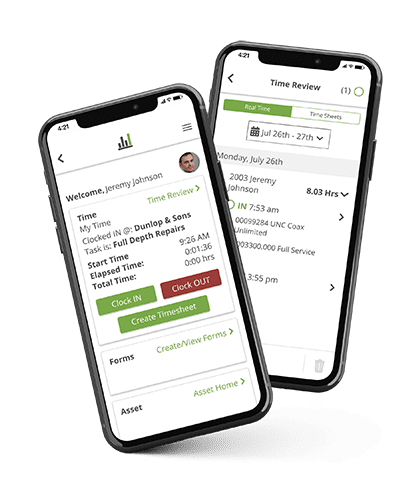
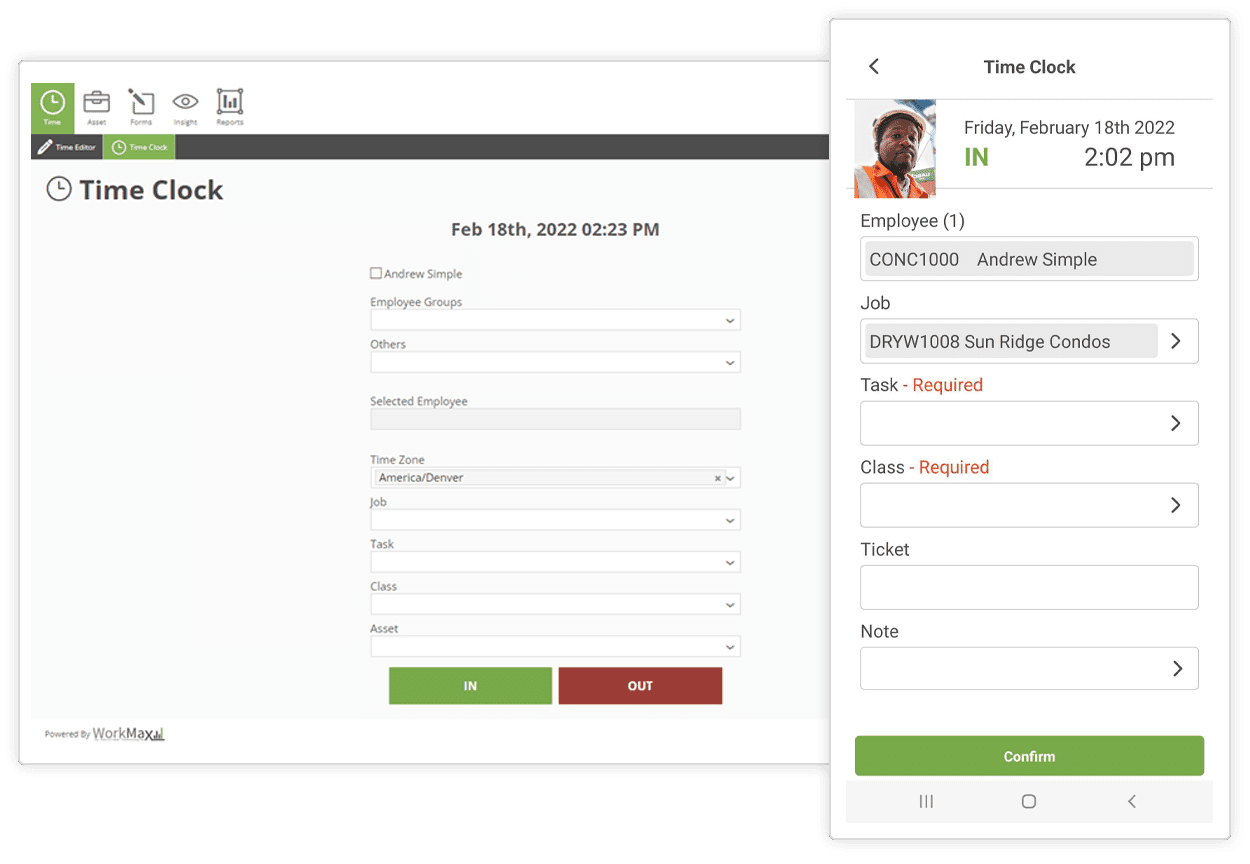
  • Mobile Construction Time Clock With GPS Verification: Workers can clock in and out directly from their mobile devices, with built-in GPS verification to confirm their locations.
  • Advanced Geofencing Technology: Contractors can create virtual boundaries around jobsites to ensure workers are physically present when clocking in.
  • Sophisticated Facial Recognition Security: Prevent buddy punching with facial recognition that verifies identity during clock-ins, task changes and clock-outs.
  • Mobile Signature Management: Digitally capture and store employee signatures for all pay periods through a secure, centralized system.

These time tracking capabilities help construction companies maintain accurate labor records and improve operational efficiency across every jobsite.

For instance, Galindo Boyd Construction improved crew management and project visibility by implementing WorkMax’s comprehensive time tracking features, allowing them to better coordinate teams across multiple jobsites.

How Does WorkMax Construction Time Tracking Software Integrate With Other Systems?

WorkMax TIME integrates seamlessly with construction payroll and accounting platforms, including FOUNDATION® and QuickBooks®.

First, WorkMax collects labor data straight from the field. Then those hours flow into your construction accounting system, so job costs stay aligned with payroll. If your organization uses Payroll4Construction, FOUNDATION passes that approved time into the payroll service for processing, helping reduce errors and administrative overhead.

These integrations streamline payroll by automatically transferring verified time data and reducing errors and administrative overhead.

WorkMax TIME is also part of the broader WorkMax Workforce Management Software suite, which connects time tracking with digital forms, asset management and project insights. This helps contractors keep labor hours, job costs, and payroll data aligned without manual data entry.

What Time Tracking Software Prevents Time Theft on My Construction Site?

WorkMax TIME employs advanced security features to help construction project managers stop time theft and eliminate buddy punching on construction sites:

  • Biometrics — Patented facial recognition technology requires construction team members to verify their identity before clocking in or out
  • GPS tracking — Timestamps that alert construction managers if employees punched in, clocked out or changed tasks while off the jobsite
  • Geofencing — Pre-set physical perimeters on the jobsite to verify construction worker clock-in/clock-outs
  • Mobile PIN Entry — Access the app with a secure 4–5-digit PIN on any device without an internet connection

Combined with detailed time and attendance reports, these digital tools help construction firms maintain accurate time records, minimize discrepancies, eliminate the threat of time theft and improve job costs.

What Construction Time Tracking Software Works Offline?

WorkMax TIME works offline, maintaining full functionality even without internet access.

When working offline, employees can:

  • Mobile clock in and out normally using their mobile devices, even without an internet connection
  • Switch between tasks and projects
  • Record break times and work activities
  • Use face-matching technology for identity verification during time entries

This makes WorkMax a dependable time tracking software solution regardless of internet connectivity challenges on construction sites.

The WorkMax Experience

“We cut our field employees’ labor cost by $141,440 with WorkMax TIME’s real-time tracking and facial recognition. WorkMax TIME not only reduced our labor costs significantly, it helped us create more accurate bids and reduce our payroll processing time by 75%.”
Amber Madrigal
Manager of Operational Excellence
Archer Mechanical